
A refurbished business laptop can be suitable for light games like Roblox, Minecraft, CS:GO and Fortnite on low settings, thanks to optimised games and integrated graphics cards. Heavier games like Apex Legends, however, either don’t run or only with limited performance, and there are downsides such as lower FPS, heat build-up and shorter battery life.
For anyone who wants to play all games without an expensive gaming laptop, cloud gaming offers a solution. Services like NVIDIA GeForce NOW or Xbox Cloud Gaming stream games from powerful servers, so a good internet connection is enough. Business laptops are primarily meant for school and work, but with adjustments or cloud gaming they can be used for gaming too.
You need a laptop for school, but you’d also love to play Fortnite, Roblox, Minecraft or CS:GO. Can you do that on a refurbished business laptop? The short answer: yes, but not everything – and not at maximum settings. In this blog we explain what does and doesn’t work, and why cloud gaming is a smart solution.
What can you actually play on a business laptop?
Many popular games run perfectly well on a refurbished business laptop (without a dedicated graphics card). Think of:
| Game | Minimum requirements | Runs on a business laptop? | Notes |
|---|---|---|---|
| Roblox | 8GB RAM, Intel HD 4000+ | ✅ Yes | Officially: no laptop older than 5 years |
| Fortnite | Intel HD 4000, 8GB RAM | ✅ Yes (low settings) | 30-60 FPS on low graphics |
| Minecraft | 4GB RAM, integrated GPU | ✅ Yes | Runs on almost anything |
| CS:GO / CS2 | Intel HD 3000, 4GB RAM | ✅ Yes | 60+ FPS on low settings |
| Valorant | Intel HD 4000, 8GB RAM | ✅ Yes | Default settings often work |
| League of Legends | Intel HD 3000, 4GB RAM | ✅ Yes | Smoothly playable |
| Among Us | 2GB RAM, any GPU | ✅ Yes | No problem |
| Rocket League | Intel HD 4000, 4GB RAM | ✅ Yes | 60 FPS on low settings |
| GTA V | Intel HD 620, 8GB RAM | ⚠️ Yes (low settings) | 30 FPS, lower resolution |
| Apex Legends | Intel HD 620, 8GB RAM | ❌ No (too demanding) | Only with a dedicated GPU |
Why does this work without a dedicated GPU?
Modern games are optimised for broad hardware support. Games like Fortnite and Roblox use low-poly models and efficient rendering, so they run on integrated GPUs (Intel HD Graphics, Iris Xe, AMD Radeon Graphics). On top of that, you can lower the graphics settings to adjust the load.
What are the limitations?
Even though many games do run, there are important limitations to bear in mind:
- Lower FPS → The game feels less smooth (e.g. 30 FPS instead of 144 FPS).
- Lower graphics quality → Less attractive textures, shadows and effects; business-laptop screens also aren’t always built for the colour reproduction of games (check out our screen guide for more about displays)
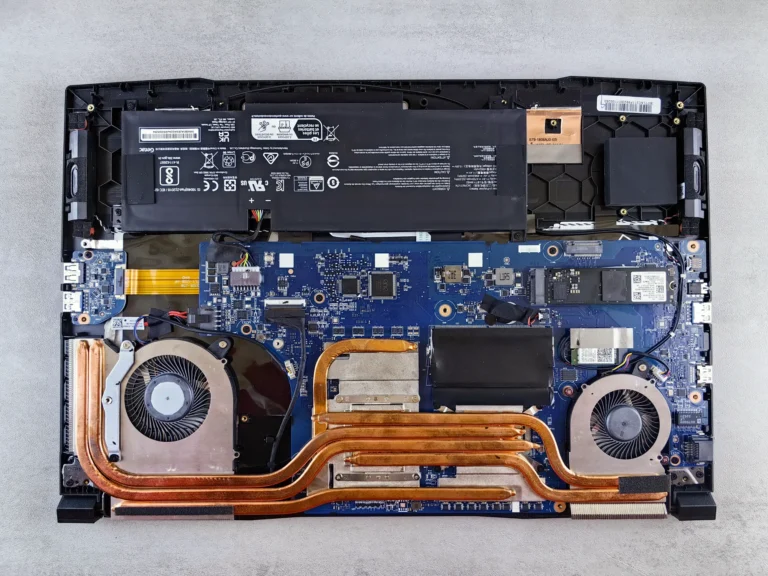
- Heating up → Business laptops aren’t designed for prolonged gaming; the fan spins harder and the laptop gets warm. TIP: Use your laptop on your lap as little as possible (even though that’s the literal meaning of the device’s name; the fans on the underside fill up with dust faster, which can shorten its lifespan)
- Battery life → Gaming on battery is often impossible (power consumption is too high).
- Age → Roblox, for example, requires the laptop to be no older than 5 years.
Cloud gaming: the smart solution for gamers
Want to play all games without an expensive gaming laptop? Then cloud gaming is the perfect solution. With these services you stream games from powerful servers, so you don’t need powerful hardware. You pay a small monthly fee and play on almost any device – including a refurbished business laptop.
Popular cloud gaming services
| Service | Price (from) | Pros | Cons |
|---|---|---|---|
| NVIDIA GeForce NOW | €10/month | Play your own games (Steam, Epic) | Subscription + buying games |
| Amazon Luna | €10/month | Access to a game library | Limited game selection |
| Xbox Cloud Gaming | €15/month* | Included with Xbox Game Pass Ultimate | Xbox games only |
* Xbox Game Pass Ultimate costs €15/month and includes Xbox Cloud Gaming.
Benefits of cloud gaming
- No expensive hardware needed – works on almost any laptop with a good internet connection (at least 15 Mbps, 50 Mbps for 1080p/60 FPS).
- Always up-to-date specs – you play on the server’s hardware, not your laptop’s.
- Saves disk space – you don’t have to download games.
- Flexible – Play on your laptop, tablet or phone.
- Saves battery – Because the heavy graphics work doesn’t have to be done by your laptop, you use only slightly more battery power than when, say, word processing
Personal experience: “I used to have a Lenovo Legion gaming laptop, but now I use a MacBook Pro M4 with GeForce NOW. Games like Victoria 3 run perfectly, and the rest I play via the cloud – for €10 a month. Saves disk space too!”
Conclusion: can you game on a refurbished laptop?
Yes, you can game on a refurbished business laptop – but not all games will run smoothly at maximum settings.
- Light games (Minecraft, Roblox, CS:GO, Valorant) often work just fine.
- Heavier games (GTA V, Apex Legends) only run on low settings or not at all.
- Cloud gaming (GeForce NOW, Luna, Xbox Cloud) is the best solution for anyone who wants to play all games without buying a gaming laptop.
At TopLaptop we sell business laptops suitable for school, study and light gaming. We don’t select specifically for gaming and don’t offer any guarantee for it, because the requirements vary greatly per game and player.
Ready to choose?
Browse our range of refurbished laptops or get in touch for personal advice. We’re happy to help you find the perfect laptop for school, study and a bit of gaming!