
UPDATE (25-9-2025): In all likelihood, consumers in the EU will get another year of security-update support for Windows 10. For Windows 11 Pro this probably does not apply, and business users will still have to switch to a different operating system or device.
The updates are also tied to conditions that affect your privacy. If you don’t want that, you’re better off switching to a different operating system.
Linux: when your laptop can’t move to Windows 11
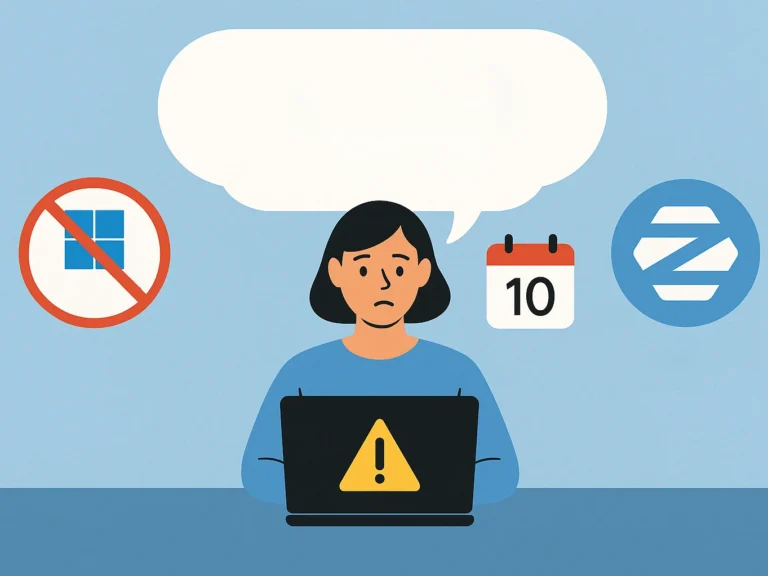
On 14 October 2025, Windows 10 retires. Without an extra subscription – and even then only temporarily – you’ll no longer get security updates. So it’s time to make choices: a new laptop, a refurbished one, or an alternative operating system like Linux or ChromeOS Flex.
Not every laptop is suitable for Windows 11. Older models often lack the required TPM 2.0 chip or don’t meet the stricter hardware requirements. Yet that doesn’t mean a laptop is immediately written off. In fact: with the right software, such a laptop can last for years. Laptops not suited to Windows 11 can still run perfectly well on Linux alternatives like Zorin OS, Ubuntu or ChromeOS Flex.
In this blog we walk you through the main alternatives. Linux isn’t for everyone, after all. For some users it’s a godsend, for others a source of frustration. It comes down to whether it fits what you need.
What is Linux, exactly?
Linux is a family of operating systems developed and maintained by a global community. There are hundreds of variants (“distributions”), but the core is always the same. Well-known names are Zorin OS, Ubuntu and Linux Mint. There’s also ChromeOS Flex, a special version of Google’s operating system that you can install on almost any laptop.
Where Windows mainly targets a broad audience and macOS targets Apple hardware, Linux is often a bit more technical. But in recent years, distributions have appeared that are actually very user-friendly. That means Linux is no longer just for “nerds”, but also interesting for home use and business environments.
For home use: Zorin OS Core
Zorin OS is perhaps the most accessible Linux version for people used to Windows. The desktop and start menu look a lot like Windows, so the switch isn’t a big one. It also comes with plenty of software pre-installed, such as LibreOffice and Firefox. It runs smoothly on older laptops and is safe: viruses are rare in Linux.
Ideal for: parents, pupils and casual users who mainly email, browse and occasionally watch a video.
Download Zorin for free here.
For freelancers and businesses: Ubuntu or Zorin OS Pro
For freelancers or small businesses, stability and support matter. That’s where Ubuntu and Zorin OS Pro score well.
Ubuntu (LTS)
Ubuntu is the world’s most popular business Linux version. The LTS versions (Long Term Support) get years of updates, so you don’t have to keep upgrading. There’s plenty of documentation and a large community. Ubuntu also works well with business software like Thunderbird and Nextcloud. For IT departments, Ubuntu is also easier to manage.
Zorin OS Pro
Zorin OS Pro is the paid version of Zorin. You get extra tools, business themes and more support. For freelancers switching from Windows, this is a pleasant stepping stone, because the interface feels familiar while still offering the benefits of Linux.
ChromeOS Flex: simple and cloud-focused
ChromeOS Flex is a special version of Google’s operating system that you can install on almost any laptop. It resembles the software running on Chromebooks: lightweight, fast and fully focused on working in the cloud. You create documents in Google Docs, do email via Gmail and store files in Google Drive. It works ideally if you’re always online, but without internet you can do less.
Ideal for: schools, organisations that work entirely in Google Workspace, or users who mainly use their laptop as an internet device.
What about security and privacy?
A big advantage of Linux is security. Viruses and malware are rare, because the architecture works differently from Windows. You also get regular updates and there’s little unwanted data collection. ChromeOS Flex is safe as long as you stay within the Google ecosystem, but it does require you to entrust your data to Google. For those who value privacy, Zorin or Ubuntu often feels better.
In summary: the right choice depends on you
| Situation | Recommended OS | Why |
|---|---|---|
| Home use | Zorin OS Core | Familiar, easy and safe |
| Students | Linux Mint Cinnamon | Lots of software, stable, looks like Windows |
| Small freelancers | Zorin OS Pro or Ubuntu | Professional, long supported |
| Cloud-first organisations | ChromeOS Flex | Optimised for Google Workspace |
The most important thing to remember: a laptop without Windows 11 isn’t worthless. With a system like Zorin OS, Ubuntu or ChromeOS Flex you can keep going for years. For some, this is a perfect solution: sustainable, affordable and surprisingly user-friendly. For others, Windows just feels nicer. There’s no “best” choice, only the one that fits what you need.
And do you want to upgrade to Windows 11 after all? Then we have the devices for you, with honest, reliable advice.